• Google Fi Review (2019)

    Google Fi
    Google Fi

    After ten years of using AT&T, I switched to Google Fi and here are my thoughts. Before I start my review, here’re some details you might be interested in. I use Google Fi on an unlocked iPhone XS. I knew very well about the limitations before I signed up for the service. So, here is my review of Google Fi on iPhone.

    Application

    I’ve been a Google Voice (GV) user since the past ten years. I love the service. I’ve used it for my voicemail and for making international calls to India. I liked the voicemail transcription feature too. This is a pretty common feature now, but, GV pioneered it.

    Anyway, I was able to sign up for Google Fi online from this page here https://fi.google.com/signup and apply for the SIM card installation kit.

    During the application process, you’re presented with the following 3 options:

    Sign Up form
    Sign Up form

    If you select Use another number you own and use your current phone number, you’ll lose your GV number for good. I didn’t want to lose my GV number. So, I canceled the sign up process and logged in to my GV account and transferred my GV phone number to another Google account of mine. Once I did that, I restarted my Google Fi sign up process. Now, the form looked like this:

    Sign Up form part 2
    Sign Up form part 2

    Everything else was pretty straight forward. The SIM card itself is free. It ships in a week or so. Since, I wanted the SIM card ASAP, I chose to go with the $15 expedited shipping option. I got it the very next day.

    Activation

    Once I got hold of the Google Fi SIM card, I installed the Google Fi app from the iOS App Store. I placed the SIM in my iPhone and opened the app. I was able to follow through the steps and have the service activated within 5 mins. Yep, it was that quick and simple. The app guides you through the process of setting up SMS/MMS/Voicemail on iPhone.

    Caveats

    In order to check voicemail, you need to check the Google Fi app. The native iOS Phone app doesn’t have access to the voicemails. Personally, this wasn’t a big deal. I never really used AT&T’s voicemail on my iPhone anyway. I always used the GV app to check my voicemail. The only difference now is that I need to check my voicemail in the Google Fi app.

    Billing

    I am all praise for Google in this section. Google nailed it with the UI. Honestly, I didn’t expect anything less from Google. It is extremely minimalistic and easy to understand your Fi plan. AT&T on the other hand, I had to watch this video to prepare myself before I opened my AT&T account.

    Rocky Balboa Inspirational Speech

    I had to tap through 5-7 different screens to get any information that made sense to me.

    See how clean the UI is? Good job, Google.

    International Calling

    I absolutely love how Google Fi supports international calling from the United States. This basically renders my GV account useless. All the features of GV that I loved are baked into Google Fi. General information about international calling can be found here: https://fi.google.com/about/international-rates/

    Speed Test

    I performed a speed test on fast.com and here’re the results for Google Fi LTE

    Google Fi LTE speed test results from Fast.com

    The results are pretty good. I tried streaming videos (YouTube) and audio (Apple Music) with positive results.

    Conclusion

    While I’m missing out on the automatic carrier switching feature of Google Fi by using it on an iPhone, I still like the service. So far, the signal reception hasn’t been bad. The data speeds are pretty good. I just hope Google comes up with a solution to make automatic carrier switching work with the iPhones soon.

  • Working on Side Projects

    Working on Side Projects can be really fun. But, you know what’s not fun and sucks? Not finishing the project and abandoning it (also, Global Warming). This is a very common problem and most of us struggle with it.

    It gets trickier. Once you lose interest in the project and abandon it, guilt kicks in, as if we don’t have enough issues to deal with already. At this point it becomes really annoying having to fight with your conscience about the abandoned project. You don’t feel like working on it and at the same time you can’t really leave it. It’s just pure bliss at this point. šŸ˜‡

    One fine Sunday afternoon, you gather your thoughts and try to focus on your project and trim it from an ambitious project to a simpler project. You feel good about yourself for having found a way to deal with the problem. That’s when you notice a cool new tool. BAM! Suddenly, you notice all of your efforts and the interest you managed to build up, going down the drain. Can you stop it? No. What do you do instead? Go ahead and try out the cool new tool that’s going to make your life so much more awesome. What about your project? That can wait. You’re confident that you will be able to come back later and finish your project using the cool new tool.

    Three months go by and you are finally at a point in your life where you feel confident and comfortable to say goodbye to your project and move on to a new one.

    Moving Fast and Breaking Things

    In the past, I’ve started a lot of projects and miserably failed to finish them. I even thought of moving fast and breaking things. In reality, that didn’t really work. It’s definitely not because the philosophy is flawed. It’s because my perception of the philosophy was flawed. I’ve realized what I was doing wrong and corrected it over the past few years. I’ve tried a lot of things and didn’t really find anything helpful.

    Reasons for Abandoning Projects

    After spending a lot of time thinking about why I kept abandoning my projects, I noticed a common theme and was able to compile a list of reasons that made me abandon my side projects.

    Lack of Prioritization

    Imagine working on a project where you have tasks that are not prioritized. You have no idea which task you’d work on after you finish the current task. It’s hard to continue working on something while not knowing what needs to be worked on next. Also, give yourself enough time. Make sure your deadlines are reasonable. Be extremely honest with yourself when setting up deadlines.

    Unfamiliar Tooling/Technology

    If you use tools that you’re not familiar with, you spend a lot of time learning to use them. After a few days, you find yourself working on an entirely different project – Learning to use the New Tools. Understand what’s important to you, learning the new tools, or completing the project. I know that these don’t have to be mutually exclusive, but, that’s how it is most of the time. If picking up a new tool is fairly quick, that’s absolutely fine. It’s unlikely that it’d distract you. Or, at least try to minimize introducing too much of new tooling into the project.

    Not knowing the value

    If you ever try to work on something that you’re not interested in and just think that it might be useful for others, chances are that you might never finish the project. If you truly understand how a project might be of value to you, it’s likely that you’ll stay interested in finishing the project. Your project doesn’t even have to be brand new. It could be something that has been implemented over a hundred times by others. When in doubt, just ask yourself, “Why am I doing this?”.

    Perfection

    Yep, perfection. Perfection is a major distraction. If it’s a side project and you’re the only one who’s going to be using it initially, don’t aim for perfection early on. This can work against you. Instead, make it an iterative process. This reminds me of the following quote:

    If you’re not embarrassed when you ship your first version, you waited too long.

    Matt Mullenweg, CEO of WordPress

    Also, this is a perfect segue to the next reason for abandoning projects.

    Lack of Iterations

    If you think of a project as a whole, the project scope becomes too much to handle. Instead, you can build it in several iterations. Ship the Minimum Viable Product (MVP) first. Iterate on it later. Shipping the first version is very important. I do it with all of my projects and it has been very effective.

    Lack of context

    There have been times when I started a project, worked on it for a few days and stayed away from it for a week or two. When I came back to the project, it felt like I was missing the context from where I left off. So, I started journaling my thoughts regarding the project right after I stopped working on it. The next time I got back to the project, I’d read through my thoughts and pick up from right where I left off, with very little effort. This technique made me stay consistent with my projects.

    I’ve struggled staying focused on side projects and abandoned a lot them in the past. Identifying these bottlenecks helped me optimize my process of working on side projects. Before publishing this post, I had all of these reasons as a checklist that I’d go through before starting any side project, as a reminder to be careful with these bottlenecks.

    What bottlenecks do you face when working on side projects? Let me know in the comments section below.

  • Jay-Z

    Something ’bout the struggle so divine
    This sort of love is hard to define

    Jay-Z (Nickels and Dimes)

  • Game of Thrones

    Game of Thrones
    Image from the iconic Game of Thrones title sequence

    I just finished watching the series finale of Game of Thrones (GoT) and it feels like the end of an era.

    I grew up watching the show these past 8 years. I still remember the day my ex-roommate, Gopi, suggested it to me for the very first time. I had just graduated and was actively looking for jobs at the time and wanted to start watching something to take my mind off of my job hunt.

    I watched the very first episode of the show and immediately got hooked. It was extremely captivating. It wasn’t like anything I had seen before on TV. The quality of the show was unprecedented.

    I started watching the show knowing nothing about the books. I loved it. It instantly became my favorite TV series. I binge-watched the rest of the episodes of the first season and waited for the season finale and watched it with even more excitement. Ever since the first season, whenever the show aired, I waited every Sunday eagerly for HBO to drop a new GoT episode and watched it immediately to avoid the risk of spoilers all over the internet.

    I, like many of the others who watched the show, rooted for all the main characters, not knowing their fate. I felt bad every time a character that I rooted for died. I obsessively followed all the fan theories on Reddit and many other sources. This was the first time I had seen such a response to a TV show.

    I do agree that there has been a quality drop since the part where the story from the books ended, nevertheless, it’s a great TV show.

    George R. R. Martin (GRRM) is a genius for coming up with such great content and HBO did a great job by turning it into a TV series.

    Thank you, GRRM & HBO for such a brilliant experience.

  • Gutenberg

    —

    in

    The UX around composing a blog post has changed significantly over the years. It has moved from pure text based posts to having image embeds, galleries, videos and cards from various websites such as Twitter, Facebook, YouTube etc. The text editors are responsible for good UX and it’s great that they are evolving. This evolution lets users focus on the content and makes it really easy for them to express their ideas.

    Medium’s Text Editor

    Over the past few years, one of the biggest innovations around text editing has been Medium’s Text Editor. It’s a wonderful editor that looks great. Here’s a couple of screenshots of the editor while editing a story on Medium.com:

    Medium’s Text Editor showing text styling options
    Medium’s Text Editor showing media embedding options

    As you can see, the UI looks clean, minimalistic, beautiful and lets the user focus on what’s truly important – Content.

    Now, all of this is great, but, there’s one key thing missing here – Extensibility. Being able to extend the functionality of this editor using plugins makes it so much more powerful.

    Gutenberg

    WordPress’s new text editor is called Gutenberg. It is fantastic. Imagine having the beauty and functionality of Medium’s text editor, along with support for plugins. That’s Gutenberg.

    First off, Gutenberg’s UI/UX is amazing. Composing a blog post in Gutenberg feels really fun. It makes you want to write more. It uses this concept of Blocks. Each Block can be an entity in your content. This basically means that a paragraph, image, image gallery, embedded video, embedded audio etc are all Blocks. Here’s how editing a Block looks like in Gutenberg:

    Composing this blog post in Gutenberg

    The UI looks great and editing Blocks is really simple. Also, the editor comes with a handy shortcut to insert new Blocks. This is activated by typing in “/” anywhere in the compose region of the editor. Here’s how it looks like:

    Gutenberg’s shortcut to access various Blocks

    The default editor ships with a lot of Blocks. But, there’s a huge community of developers building awesome new Blocks that can be integrated into the editor by installing them as WordPress plugins.

    Conclusion

    I’m very satisfied with WordPress’s direction to improve the compose experience. I think this is only going to get better and I can’t wait to see what the community comes up with. If you want to give Gutenberg a try, here’s the live link: https://wordpress.org/gutenberg/

  • The Reverse Switch

    The Reverse Switch

    —

    in

    After 7 years, I’m back on WordPress. Lot of things have changed in 7 years. For starters, the prices have significantly gone down for hosting your server. Also, the UX of the WP mobile app is now so much better. The new blocks based text editor is very interesting.

    One of the primary reasons for me to switch back to WP from Jekyll is to be able to compose blog posts even from my phone.

    Lately, my workflow for blogging has been something like the following:

    1. Compose an initial draft in the Notes.app
    2. Once the draft is 80-90% done, convert it to Markdown and iterate over the draft until I find the content satisfactory
    3. Push to GitHub to publish the post

    As you can see, steps 2 and 3 require me to be on the computer. Those steps can’t really be done from my phone in a simple way. As a result, I’ve seen myself slacking away from finalizing posts more often.

    This switch back to WP should make it more easier for me to post more often. I already notice the difference, since, I’m composing this post on my phone. Now, I can focus on writing more.

    Indeed, I did.

  • 10 years

    10 years

    —

    in

    Being busy with travel, work and some other personal things, I totally forgot that on March 20th 2019, my blog completed its 10 years of existence. Personally, that’s a huge milestone for me.

    It feels good to have had my blog for 10 years. A lot has changed in the past 10 years and my blog helps me see and understand how I’ve evolved over the past decade. I started my blog as a personal project. It started off as an outlet for my interest in writing about things happening in my life. As I grew older, my interests changed and so did the things I was blogging about. Right now, most of my blog posts I write are technical at some level, which seems obvious given my love for technology.

    This isn’t my first blog though. I used to have another blog around 2005, named ā€œStealth Factoryā€ (cut me some slack, I was a kid ), where I’d blog about ā€œtips & tricksā€ to improve Windows Operating System. I had the blog till 2008. At some point, I wanted to write about things that were more personal to me and that’s how I started my current blog.

    The frequency at which I blog has definitely improved over the years.

    I’m planning on revamping my blog to make it more simpler and yet, functional. I plan on redesigning my blog with a huge emphasis on typography this time around.

    I have a few ideas that I’d like to implement. I have some topics that I want to write about this year. I have a lot of unorganized writing that I need to organize into proper blog posts. Overall, I’m excited about the future of my blog.

    If you’ve been a follower of my blog, then, thanks for being a reader. I hope to write more interesting content in the future.

    Here’s to another 10 years!

  • Happy New Year 2019

    Happy New Year 2019

    Happy New Year! šŸŽ‰

    2018 has been a great year for me. Both, professionally and personally. I’ve managed to be very productive in 2018 and it has been a very humbling experience.

    2017 was a particularly tough year for me. I was really sad, went through a lot and I wanted to pull myself back together. It was a tough phase of my life. I realized that and I wanted to get a hold of myself. I knew that I needed a ton of discipline in order to do that.

    I wanted to set some resolutions for myself. Unlike previous years, this time I was serious. I wanted to make sure I stuck to them and so, I came up with a few challenges for myself for 2018. Some are personal to me and I can’t share them. However, the others that I can share publicly are below.

    Blogging āœļø

    I tend to procrastinate a lot when it comes to blogging. I, typically, start of a blog by gathering my thoughts and then organizing them into something that makes sense. This process of organizing is not really complicated. But I make it complicated. I keep trying to achieve perfection around tiny details and I never really end up finish my posts. So, in 2018, I wanted to stop doing that and write 12 blog posts.

    I’ve successfully managed to write 9. I don’t see it as me failing to write the remaining 3 posts. Instead, I’m happy knowing the fact that I came up with a framework to stop procrastinating and writing more posts. It is now, a much more streamlined process, allowing me to just focus on the content of the post.

    Travel šŸ“

    I travelled a decent amount in 2018. I visited the following places:

    • Virginia
    • Las Vegas
    • Salt Lake City
    • Antelope Canyon
    • Denver
    • Los Angeles
    • Newark
    • New York City
    • Boston

    Weight Loss šŸ‹ļøā€ā™‚ļø

    After almost a decade of being overweight, I finally chose to prioritize my health. I’ve always had trouble staying disciplined and being consistent with my diet and exercise. I wanted to change that.

    I put in a lot of effort and successfully lost weight. I’ve lost 20+ lbs. I’m no longer overweight. My clothes are all now a size smaller. Even though I’ve lost a decent amount of weight, what gives me more happiness is knowing that I’m capable of staying disciplined.

    Learning ✨

    I learned to swim. I suck at it, but, it counts for something. Also, I learned a new programming language, Go.

    Books šŸ“š

    I didn’t read many books last year. Here’s my Goodreads for 2018.

    Good luck šŸ€

    I haven’t come up with any resolutions for 2019, yet. I’ll probably post about them if I come up with any.

    With that being said, I hope you all have a fantastic 2019. All the best with your resolutions and I wish you all a wonderful and prosperous New Year. Cheers! šŸ»

  • Geotagging Blog Posts

    Geotagging Blog Posts

    —

    in

    I was checking out some photos on my iPhone the other day and I really liked how the Photos app organized my photos by location. It really adds a lot of context to my photos. In the past, I’ve used the map view to see where a particular photo was taken a ton of times, but, I never really appreciated the value of Geotagging the photos.

    Context is quite important when you’re trying to express an opinion or trying to state something. I think location adds a little bit of context, if not a lot, to a blog post. I don’t see it being done on any of the personal blogs I follow. I think it’s an interesting piece of information to add to the metadata of a blog post.

    I’ve spent some time to retroactively add the location tag to all of my previous blog posts too. I will probably add a filter in the archive page later to filter posts by location. I may even add a map view similar to the one found in the Photos app.

    Update: Now that I’ve moved to WordPress, I am yet to figure out how to set this up with WordPress Mobile App, since, it doesn’t seem to be possible to location tag from the Web UI.

  • Wearable Tech

    Wearable Tech

    I love Wearable Techā„¢.

    My love for wearable tech started off in May 2012 with the launch of Nike+ Fuel Band. It was an amazing product. I absolutely loved everything about it. The design, the display, the battery, the style and of course, the UX.

    The next year, Fitbit came up with a competing product – Fitbit Flex. So, obviously, I bought that too. I really liked it.

    A year later, the company that I used to work at, gave all of its employees a brand new Fitbit Charge (the one without the heart-rate sensor), as a holiday gift. I used it for a few months and gave it away to a friend and bought myself the Fitbit Charge HR (the one with the heart-rate sensor). It felt amazing to be able to check my heart-rate without having to wear a chest band.

    The next year, I bought Moov. I used it for a very brief period and lost interest in the product due to its minimal feature set. I switched back to using my Fitbit Charge HR.

    Soon, Apple entered the game with the launch of the original Apple Watch. I didn’t really like it due to lack of any new features and the unreasonable price.

    A couple of years later, in 2016, Apple announced the Apple Watch Series 2. It was water proof and had a built-in GPS. So, I pre-ordered it. The hardware design was fantastic. I loved it and wore it every single day. I used it for two full years.

    Apple recently released the Apple Watch Series 4. I really liked the ECG feature and so, I got the new watch. So far, I like it.

    A few months ago, a buddy of mine asked me what I use my smart watch for. It was surprising because I couldn’t think of anything other than ā€œchecking timeā€. After giving it a decent amount of thought, I came up with a list of things I typically use my Apple Watch for:

    1. Check time (duh?)
    2. Track my fitness
    3. Keep track of meetings (calendar events)
    4. Create and check reminders
    5. Check notifications
    6. Check Weather and weather conditions
    7. Keep track of UVI & Air Quality (you need to keep track of these especially when you live in the Bay Area)
    8. Check sports scores
    9. Control music
    10. Make payments at stores that support Apple Pay (especially at Gas Stations)
    11. Ignore/Decline calls. I use my phone to answer calls.
    12. Meditate with Breathe

    I have seen some video reviews of the Samsung Gear S3 and it seems like a solid watch. There’s no way I am going to switch to it now, but, it’s good that Samsung is working hard to keep Apple on their toes. I would really like to see Google enter the competition with their own hardware.

  • It Doesn’t Have To Be Crazy At Work

    It Doesn’t Have To Be Crazy At Work

    I like David Heinemeier Hansson (DHH) and Jason Fried’s style of writing. It’s very casual and often times funny. I’ve enjoyed reading Getting Real and Rework. I never felt motivated enough to read their other book, Remote.

    Getting Real changed the way I think about projects and even my side projects. It didn’t have a similar impact on me as Getting Real had, but, it’s still a good book. All of these books tend to follow a similar narrative, busting the myths of common work practices.

    DHH and Jason recently published their new book called It Doesn’t Have To Be Crazy At Work. I immediately pre-ordered the book. I got really excited once I received the book and started reading it.

    "It

    Here are my takeaways from the book:

    • Sustained exhaustion is not a badge of honor
    • Being comfortable in your zone is essential to being calm
    • JOMO (Joy of Missing Out)
    • An hour can be spent with one focused 60 min block or fractured into multiple blocks of 15 min or so on. Achieve for the 60 min block
    • If you want your employees to take a vacation, take one yourself. If you don’t want your employees to come in when they’re sick, stay home when you’re sick. This will help the employees to not feel guilty for doing so
    • Trust Battery
    • Sleep is very important
    • Balance your Work and Personal time
    • No fakecations (fake vacations). Go off the grid when on a vacation
    • Deadlines are fixed. Not the scope
    • Give enough time for an idea to settle in. No knee-jerk reactions
    • ā€œDisagree and commitā€ can be a thing. Letting the team know you disagree and you are still committing to the idea/project is always better than not letting the team know
    • Spend the first week or two of the project to clarify unknowns and validate assumptions
    • Doing nothing should always be an option in a project
    • Embrace calm

    Now, obviously, I didn’t want to steal the essence of the book and so, I am purposefully vague in the above points.

    The book is pretty good. Reading through the first few chapters might feel like the book is challenging reality. But, later on, the authors talk about the problems in the current work environments and offer solutions to avoid/fix those problems.

    My rating of the book: ā­ļøā­ļøā­ļøā­ļø (out of 5)

    If you’re interested in following the books I read, here’s my goodreads profile.

    Comparison is the death of joy

    Mark Twain

  • Weight Loss

    Weight Loss

    Up until mid 2008, I had always been underweight. I used to be extremely lean and my focus back then was to gain weight. I wanted to look decent when I wore shirts and not look like someone hung a shirt on a coat hanger. To get a mental picture, I’m a little over 5’9ā€ and weighed 120 lbs. With the focus to get bigger and look more muscular, I joined a gym. Every single day, besides the weekends, I put in my best effort and exercised sincerely. I knew I had to gain weight and so, I ate a lot of food. I didn’t really care about which foods to eat or if a particular food was healthy or not. My focus was purely on gaining weight and building muscle. Within 6 months, these changes started showing. I gained a decent amount of weight and by August 2009, I weighed 154 lbs. Mission accomplished.

    Becoming Overweight

    In the Summer of 2010, I decided to look for an internship to get some industry experience. However, I failed to find an internship and so, I spent the entire summer learning iOS application development and built an iOS app. I basically ended up all day staying home, watching football, learning iOS programming and doing nothing else. As a result, I gained a lot of weight due to my sedentary lifestyle. I ended up weighing 174 lbs by the end of that summer. That was the first time I became overweight. The ideal weight for a male of my height lies in the range of 125 lbs to 168 lbs.

    Ever since that summer, I stopped caring about my health. Way too many things became higher priority. For a few years, I had ā€œhit the gym regularly and stay healthyā€ as one of my New Year resolutions. I could never really do it as I hit the gym only a few times a year. I became really lazy. Fast forward to January 2018, I weighed 187 lbs.

    Road to Improvement

    Upon my wife’s recommendation (and enough motivation), I booked an appointment for my annual physical with my Doctor. On June 8th, as per my doctor’s suggestion, I started using MyFitnessPal and started keeping track of my weight using my Withings Smart Body Analyzer. I’ve used MyFitnessPal in the past, but, never consistently. This time, I knew I would use it religiously since my doctor suggested it. I have my Withings Smart Body Analyzer setup such that it pushes my weight data to MyFitnessPal every time I step on the scale. I cannot recommend this enough! This is such a useful feature.

    Current State

    As of September 13th, I weigh 165.8 lbs. That means, I’ve lost 21.2 lbs since January 1st and 18.5 lbs since June 8th, the date my doctor suggested that I get my shit together. :tada: This puts me back in the healthy weight range for my height and age. For the first time in a little over 8 years, I am in the healthy weight range.

    Here’s an (updated 10/14/18) image showing where I currently stand on the BMI scale:

    How Did I do it?

    If you want to lose weight, you need to understand 2 things:

    1. The science behind weight loss
    2. How to keep yourself motivated and maintain consistency

    The science behind weight loss

    Weight loss ultimately boils down to simple science. At least for the most part.

    Caloric Deficit leads to weight loss

    You need to burn 3,500 calories in order to burn 1 pound of fat. What it means is that you lose 1 pound of fat over a period of 1 week, by consuming 500 fewer calories than your BMR (Basal Metabolic Rate), everyday.

    500 cals (caloric deficit per day) x 7 (days of the week) = 3,500 cals (caloric deficit over a week) = 1 pound (weight lost by the end of the week).

    Motivation and Consistency

    There’s only so much understanding the science behind weight loss can do to your weight loss journey. Motivation is extremely important. Discipline and Consistency, even more. Staying motivated through out the period is really hard. The following helped me stay motivated throughout the process:

    • Not over-thinking about the process
    • Focussing on the result of no more than 1 week at a time
    • Being sincere and respecting the process, since, perspective drives performance

    Every week, I’d check my weight and watching my weight drop really motivated me.

    What’s next

    I still need to lose some more weight. My goal weight is 163.2 lbs. Here’s a live tracker of the progress of my weight loss.

    Update (10/14/18): I’ve hit my goal! and here’s a screenshot of the tracker.

    Conclusion

    There’re so many people out there, who’ve lost way more than 20 lbs of weight. I’ve always believed that if they can do it, I can too. Now you just need to believe that if I can do it, you sure can too!

    I want to inspire at least a few people and help them achieve their weight loss goals.

  • Personal Blog

    A blog is a great place to post interesting, insightful and fun things. Or even boring things. It doesn’t really matter as long as you like doing it. I really enjoy reading my friends’ blogs. It has a different feel to it as opposed to reading a generalized feed on a social network. Typically, I tend to sift through the updates in my feed. I don’t really pay much attention to the items in my feed. That is not really a great experience. This wouldn’t be the case if everyone had their own personal blog.

    The biggest thing that social networks fail to capture is the essence of a person. Even if, say, Facebook, allowed its users to customize their profiles completely, it’d still fail to display a person’s uniqueness, since, they all reside on the same domain.

    Customizability

    Several factors such as a domain name, page layout, typography, design etc contribute to portraying the uniqueness of an individual. It’d be amazing if there was a social network that allowed its users to customize their domain names, page layout and design. That would enable the users to show off their unique tastes and creativity. It’d be way more interesting to checkout the ā€œprofilesā€ of your friends then.

    Currently, WordPress does something like that. As part of their paid subscription, WordPress allows its users to customize their domain name, blog themes etc. But, the problem with WordPress is that it doesn’t really do a good job of providing a decent personalized blog feed. The ā€œMy Likesā€ tab for a logged-in user just doesn’t cut it.

    Medium has solved the personalized blog feed problem. But, it doesn’t completely allow its users to customize their blogs. It lets you pick from few blog post layouts, but, that’s not enough. In an ideal world, every blogging platform would support feeds from every other blogging platform. This removes the dependency on a particular blogging platform. Currently, no active social network or a blogging platform does that.

    I think the following are absolutely necessary for complete user satisfaction:

    1. Blog customizability
    2. Subscribe and read subscribed feed from other platforms
    3. Discover blogs based on a user’s interests

    This calls for an Open Standard and would be the ideal direction to head in, if the blogging platforms or the social networks really care about their users. All of this is in an ideal world. For now, in the real world, I strongly suggest every one to start their own personal blog if they don’t already have one, on whichever platform they want.

    One might immediately come up with the following questions:

    Who will read my blog?

    When I first started blogging, I did it for myself. I didn’t expect anyone to actually care about what I write. I just wanted to write about things I thought were interesting or funny and went ahead and wrote about them. I’ve been blogging since the past 9 years now and I get a decent amount of traffic on a monthly
    basis. Here’s a screenshot from my Google Analytics dashboard.

    Google Analytics
    Google Analytics

    This includes my family, friends, people who use and appreciate (or not) my projects etc. So, don’t worry about who will read your blog. Just start writing and people with similar tastes will find, follow and read your blog.

    What do I blog about?

    Your blog could be anything. It really depends on you. Personally, I like writing about random things. I have a few posts queued up in my drafts directory, which are highly technical and computer science-y. I write about the projects that I’ve worked on, tools I use, things that I find interesting, ideas and opinions. You could even use your blog as a portfolio to showcase and promote your work.

    Where do I start?

    There are lots of good blogging applications such as WordPress, Tumblr, Blogger, Medium etc. Each have their own pros and cons. I’ll leave it up to you to pick the one that fits your needs. I use Jekyll for my blog and host it on GitHub Pages. I think the simplest one to get started with, is Tumblr. It’s easy to configure and easy to pick a theme from the huge library of themes available.
    It also allows you to customize your domain name for free.

    Conclusion

    If you think I’ve successfully managed to convince you to start a blog, then let me know via Twitter @thisprofileismt. I’d love to read about what you’ve written.

  • Domain name purchase obsession

    I love buying interesting domain names. I do that with the hope that one day, I end up using the domain name for one of my side projects or at least work on a side project after purchasing the domain name. Sometimes, I just think of an idea and come up with a good name for it and immediately buy a domain name for it (I blame domainr.com for making it so simple to lookup domain names). Due to various reasons, I don’t get to most of those projects. I end up hoarding the domain names. On one hand, I don’t let go of them and on the other, I feel guilty paying for the domain names and not even using them.

    Realization

    I realized that I was spending way too much money on domain name renewals on a yearly basis. It was a lot. I knew that I owned a lot of domain names, but, I didn’t really keep track of them. So, one fine day, 3 years ago, I opened up my domain registrar accounts and checked how many domains I owned. Across 3 different domain registrars, I owned a total of 62 domain names! Some were interesting, funny, creative, while some were stupid and some were just silly. Since, I owned a lot of domain names, I was marked as a VIP member by one of the domain registrars. I’d receive special discounts and offers that non-VIP members wouldn’t.

    The Fix

    The fix was simple really (unlike the realization). I could either sell all my domain names, which is a tedious process and requires a lot of patience or I could let them expire. The latter seemed more appealing to me and so, I let my domain names expire, one by one. Most of them are now registered to other owners. Also, I decided to only buy a domain name after I finish implementing the idea. I did that with my Money app and it worked really well for me. I still do hit domainr.com up, every now and then, but, I don’t buy domain names if I haven’t already worked on the idea. As a result of this approach, after 3 years, I, now, own only 8 domain names and I use them all.

  • Learning Go

    Golang logo
    Golang logo

    I first learned Go in 2014. I didn’t do anything with it after I learned the basics. After all the years, I even forgot the syntax and the basic concepts. This time, however, I wanted to make sure I properly learned Go and implemented something useful in Go.

    I’ve now been programming in Golang since a few weeks and I’m absolutely in love with the language. I enjoy writing code in Go, especially, as someone who has been programming in Ruby for a while now. The language has an amazing design with some really cool features. It’s amazing how simple it is to use Goroutines with Channels. Go removes the apprehension from dealing with concurrent programming.

    It’s been a while since I’ve dabbled around a new programming language. A few years ago, I learned Swift and I liked the expressiveness of the language. I had previously written code in Objective-C, the syntax of which (IMHO) is absolute garbage and made me not want to code in it…ever. Anyway, I’m not going to get into how much I dislike Objective-C. To sum it up, I liked learning and coding in Swift. I haven’t really built anything substantial in Swift yet.

    So far, programming in Go seems really fresh. I’m super pumped about Goroutines, Channels and the ability to achieve concurrency in Go. It is simple and the concepts are straight forward.

    Features I like

    • Use of structs and how one can define methods on these structs
    • Goroutines and channels are fucking amazing. Dealing with concurrency is usually a pain in the ass in other programming languages. Go takes away that pain and makes it simple. It almost seems pretty basic writing goroutines in Go
    • Error handling. I know most people are going to disagree with me on this one, but, I think the approach to error handling in Go is fresh and nice.

    Getting Started

    Go has fantastic documentation online. The community is great too. But, before attempting to learn the language, I strongly recommend reading this: https://blog.golang.org/gos-declaration-syntax. The blog post sets the tone of the language. This changes the way you think in terms of Go and makes it easy to pick up the language and get better at it.

    Next step is to refer to Golang’s Getting Started guide. It’s pretty good. The Go tour is a great place to practice programming in Go.

    Resources

    If you’re the kind of person that likes to learn a new programming language by watching video tutorials, check out Go Essential Training on Lynda.com.

    Here’re some of the videos that I found interesting on YouTube:

    There’re tons of other YouTube videos that help you understand Golang better. I’m not going to link them all here. You should be able to find them fairly easily as needed.

  • IAM.MT

    IAM.MT

    —

    in

    After waiting for 3 long years, I’ve finally acquired the domain šŸŽ‰ https://iam.mt šŸŽ‰. This is going to be my new blog URL moving forward. Thank you Malta!

  • Happy New Year 2018

    ""

    Wish you all a very Happy and Prosperous New Year!

    šŸŽ‰ Cheers!

  • Hack

    I love building things for fun and lately I’ve been thinking about building a text editor. I’ve used a lot of text editors and IDEs in the past. Here’s the list in a chronological order:

    • vi/vim: my very first code editor. Used it back in my earlier C/C++/Java days
    • Dreamweaver: started using it once I moved to web development for HTML, CSS & JS
    • Eclipse: IDE of choice for Java development later
    • Netbeans: switched to it when Eclipse started becoming a memory hog
    • Visual Studio: used it whenever I wrote C# code
    • Emacs: php/javascript development back in school
    • TextMate: started using it after moving to Ruby
    • Sublime Text: absolutely loved the perf, extensibility (plugins) and liked it better than TextMate. I even bought a license šŸ™‚
    • Atom: liked the idea of an open source text editor built in JS/CS

    Atom

    Currently, I use Atom on a daily basis. I’ve been using it since the day GitHub started distributing it in invite-only private beta (before open souring it) mode. After 3+ years, I think I am done with Atom. I am tired of using an editor that feels slow even when typing. Since, Atom is an open source project, I can’t really complain. It’s a wonderful initiative and I really appreciate the idea and motivation behind the project. For now, I will switch to Sublime Text. If my text editor proves to be better than Sublime Text, I will switch to using my text editor full time.

    Hacking on Hack

    I am going to start working on a text editor and I’m calling it Hack šŸŽ‰.

    It aims to be:

    • Fast
    • Light Weight
    • Easy to use

    I’m going to start working on the project and my goal is to have fun and learn a lot while I hack on Hack 😜. As I progress with the project, I’ll try to talk about interesting aspects/problems that I come across, architectural decisions, design and implementation details.

    This will be a very highly experimental project and chances are that Hack is not something for you. If you’re interested in tracking the progress of the project, you can follow along on GitHub at https://github.com/mohnish/hack.

  • Magic Compiler

    —

    in

    Innovation in today’s technology is mostly around Artificial Intelligence (AI) and its sub topics such as Machine Learning (ML) and Natural Language Processing (NLP). There is a primary focus on NLP and ML among all the tech companies. This is for a good reason. Tech companies are using NLP and ML in various aspects of their offerings and trying to stay ahead of their respective competitors.

    A Magic Compiler

    With all of this going on, I feel like NLP & ML will greatly impact the future of programming and programming languages. It could be possible to create a programming language out of pure English (or any language for that matter) grammar. Alright, stay with me here for a second; the way it could work is:

    • The programmer would write what they want to achieve in EnglishStore user data such as name, age, sex, address and favorites in the database and create an endpoint that exposes this data securely
    • Using NLP, the compiler parses this information and creates or uses the existing User class and stores the user attributes such as name, age, sex, address and favorites
    • The compiler keeps correcting itself over the extended usage of the programming language using ML. The compiler figures out the datatype of the attribute. For ex: name is a String. age is an Integer. Since the attribute is named favorites, it figures that it’s a collection of Strings. Since the programmer instructed the compiler to expose an endpoint with the data securely, we get an https endpoint to access the resource.

    The programmer can then do something like –
    Every user has many photos. Store those photos in Amazon's S3 (maybe) bucket

    A programming language like this could become a reality. Of course, this is a massive over-simplification of things, but, it could be possible. I mean, if human beings are capable of making computers perform intellectual tasks, this could totally be possible.

    This can also be taken one step further and use speech to text conversion. Programmers can then just speak what they want to build and have the compiler write the code for them.

    The advantage to creating something like this is extensibility. Imagine if every person who can speak a language can write code? Any person that can read/write a language, ends up being able to write plugins/extensions/modules in their language and contribute. There’s a lot of smart people out there and this programming model extends their creativity. Right now, it’s just a missed opportunity. It would be amazing to see what people do with their ā€œnewly acquiredā€ skill.

    Domain-specific languages (DSL)

    Today, one can do something remotely similar by using Domain-specific languages (DSLs). But, DSLs are very restricted and don’t offer much in terms of flexibility in their usage. Hence, a proper implementation to support the above mentioned features would be required.

    This would be a very interesting project to work on. I will continue research around this subject and see if I can come up with a trivial implementation of this.

  • Two Years on Chrome Webstore

    Exactly 2 years ago (Mar 22nd, 2015), on a Sunday afternoon, I wrote and open sourced Rearrange Tabs. I use it every single day. I find it pretty useful.

    The extension got featured on LifeHacker & Changelog šŸŽ‰

    Here are a few interesting stats about the project:

    • Active Users: 1000+
    • No. of Reviews on Chrome Webstore: 28
    • Rating on Chrome Wesbtore: 5 stars
    • Stars on GitHub: 39
    • Forks on GitHub: 10

    Clearly, these are not mind blowing. But they’re not bad either. Also, this is my first project where the code written by my contributors is more than the code I’d initially written. I hope more people use it and find it useful. :cheers:

  • Google’s Test my site

    —

    in

    Ran Google’s new Test My Site on my blog https://mt.cx

    Here’s the result:

    ""

    Update: The above results have been updated after the redesign.

  • Blog Changes

    —

    in

    This year, I’ve decided to make a few changes to my blog and following are the changes –

    SSL enabled site-wide

    As you might’ve already noticed, my blog is now served over SSL. I’ve enabled SSL site wide here (mt.cx) & on my mohni.sh domain. You can too, if you’re using GitHub to host your blog. The whole setup is very simple, quick and free.

    URL

    My blog URL has also changed. I’ve decided to use https://mt.cx for my blog and https://mohni.sh for my profile page. I’ve used mt.cx as my custom url shortener for the past couple of years.

    Update: I’ve updated my blog URL to use https://iam.mt

    (more…)

  • Happy New Year 2017

    ""

    Last year, I, royally screwed up the timing of my year in review post by posting it in July.

    I know, July is not really the best time to wish someone a Happy New Year, but, unfortunately, that was when I snapped out of my laziness to write a blog post. I didn’t want to miss my year in review blog and so I did it anyway…in July.

    This year, I don’t want to be lazy and so, here it is, on the 2nd of January (I had friends come over on the 1st and so, I couldn’t find time to blog).

    I had a fun 2016. It basically included traveling, adventures, reading, a lot of video gaming and tiny traces of fitness.

    Here are the highlights —

    January

    • Visited Birla Mandir in Hyderabad
    • Returned back to the United States from my India trip
    • Moved out of Fremont, CA

    February

    • Visited Monterey Bay Aquarium
    • Took part in the Canvas & Cabernet event and ended up painting
    • Visited Safari West in Santa Rosa

    March

    • Started reading a couple of books

    April

    • Went hiking at Half Moon Bay
    • Went hiking at Purisima Creek
    • Visited my Sister and Brother-in-law in Los Angeles

    May

    • Ran my first ever non-stop 5k. It was on a treadmill though. I ended up running 42 miles in 2016, 16 of which were in May.
    • Went hiking at Sequoia National Park
    • Visited Grizzly falls and Three Rivers (CA)

    June

    • Went hiking at Mt. Diablo

    July

    • Flew down to Seattle for my friends’ bachelor party (1 party for 2 guys)

    August

    • Almost all of my friends here have their birthdays in July and August (incl. my wife) and so I ended up being busy organizing/attending these ā€œsurpriseā€ parties

    September

    • Became a member of Top Golf
    • Went Indoor Sky Diving. It was fun

    October

    • Celebrated Diwali
    • Successfully completed my first year at my current company

    November

    • Went on a road trip to Las Vegas and made a profit playing Black Jack

    December

    • Visited my Sister and Brother-in-law during my flight’s layover in Los Angeles
    • Celebrated my 1st Wedding Anniversary by visiting Costa Rica. It was a fantastic & adventurous trip. Our activities included Canyoneering, Zip lining, Hiking the majestic Arenal Volcano in the rainforest and hiking around the hanging bridges
    • My buddy, Sravan, visited CA and we ended up driving down to Mt. Diablo and Napa valley
    • Had a nice NYE in San Francisco. Watched the fireworks

    A few years ago, I gave up on the concept of New Year’s Resolutions, since, I never ended up keeping them. This has always been the case with me and now I want to change that. I want to challenge myself. I want to become a better version of me. I have a couple of ideas that would help me achieve my goals. I will share them soon in a separate blog post.

    And with that, I’ll wrap up my post.

    I wish you all a fun-filled, wonderful & prosperous New Year.

  • Costa Rica

    Costa Rica

    My wife and I chose to celebrate our first wedding anniversary in Costa Rica. I’ve refined and organized my notes from the trip and turned it into a blog post.

    āœˆļø We flew from Los Angeles, USA to San JosĆ©, Costa Rica

    šŸš•We took a taxi from Juan SantamarĆ­a International Airport (SJO) to La Fortuna, a small town in Costa Rica, northwest of the capital, San JosĆ©

    šŸ›Œ We took an Airbnb in La Fortuna, since it is close to the Arenal volcano.

    We spent the rest of the day exploring the downtown in La Fortuna.

    After checking out the places in downtown, we found out that there are a lot of adventurous activities that we could do. My wife and I are both adventure lovers and naturally, we opted for the ones we found interesting.

    Activities

    We lined up a bunch of activities for the next 3 days around La Fortuna.

    🤪 Zip lining

    I’ve gone Zip Lining before, but, this was just next level. The views are amazing. We did it with Ecoglide. It includes Zip lining and the epic Tarzan swing.

    šŸ¦øā€ā™‚ļøTarzan Swing

    Tarzan Swing

    šŸ§—ā€ā™‚ļø Waterfall Rappelling

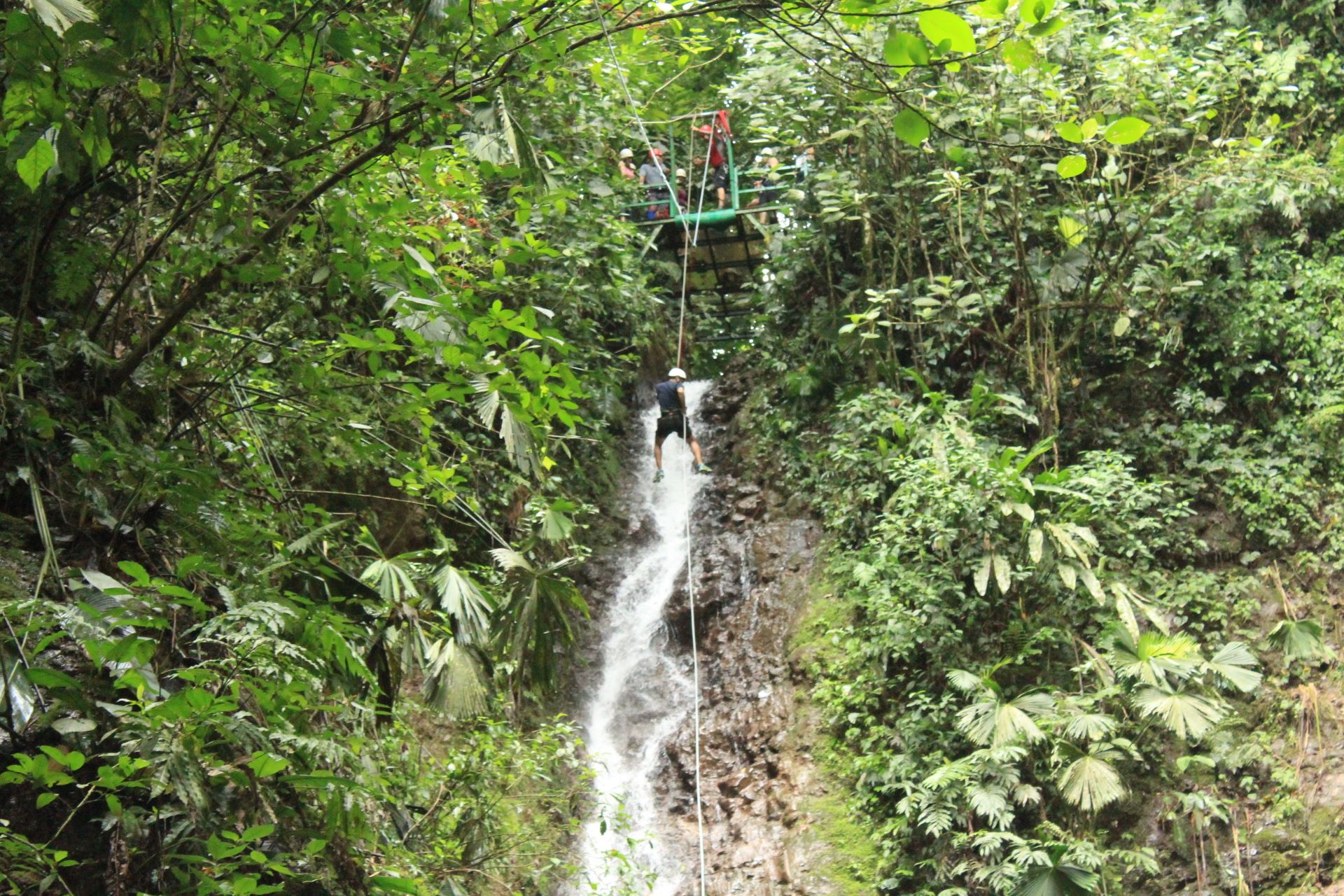
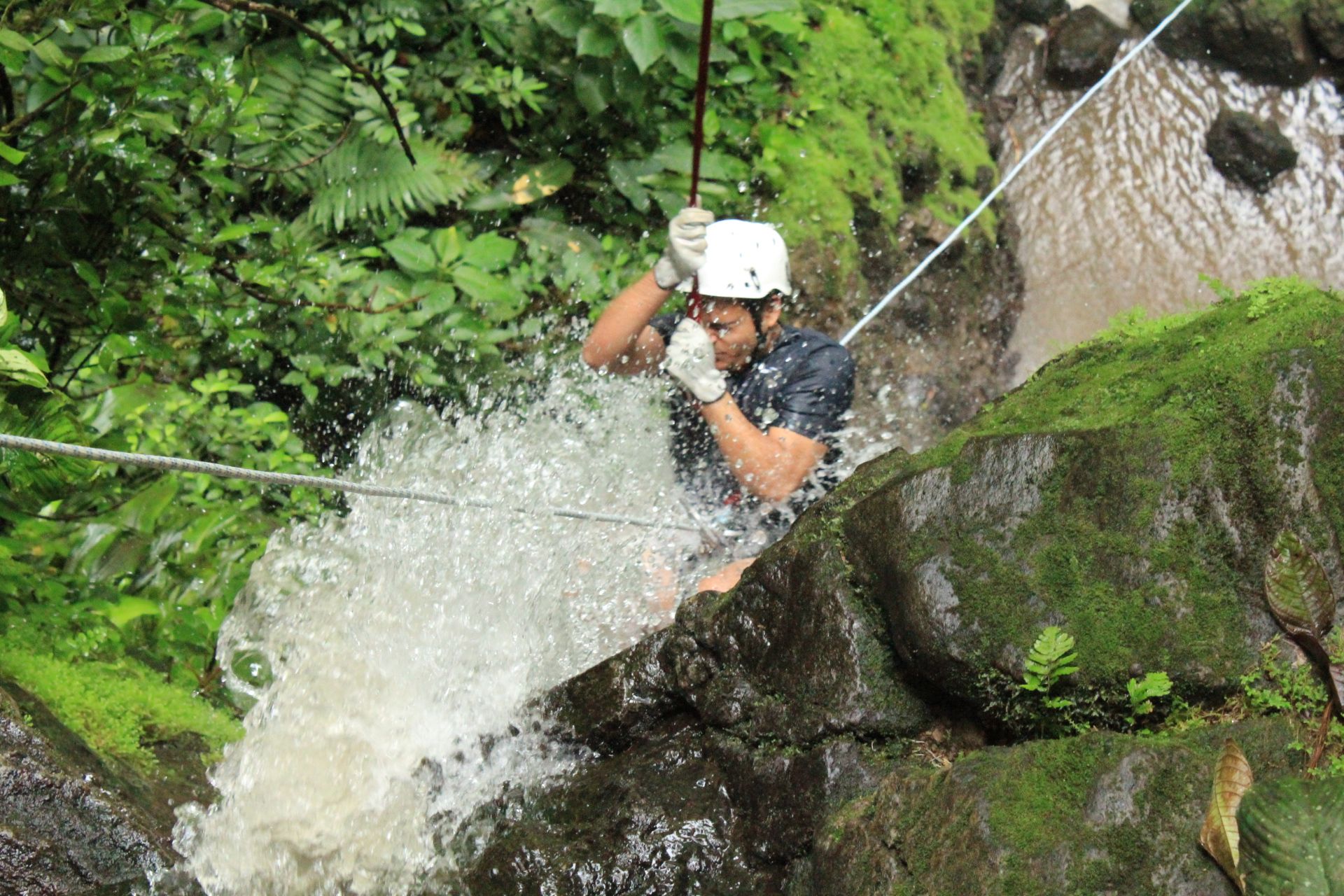
    The next day, we went Waterfall Rappelling. This was crazy. Rappelling down the waterfalls was intense, challenging, and extremely fun.

    šŸŒ‰ Hanging Bridges

    The third day, we picked activities that were not as intense. This included checking out the hanging bridges and hiking the Arenal Volcano.

    šŸŒ‹ Hiking Arenal Volcano

    This was an interesting experience. It was raining heavily and it was getting dark too. We got drenched during the hike. It was really fun.

    Arenal Volcano

    After the hike, we went back to our Airbnb, packed our stuff and set out to Baldi Hot Springs. We got a room at the Hotel Resort and stayed for the next day. I cannot recommend this enough. It is fantastic. After all the adventurous activities, we needed to calm down and relax. Baldi was perfect. We got lucky while we were at Baldi. It was raining. Now, imagine this – it’s raining and you’re in the hot springs. Yep, it was just perfect. 10/10 would recommend this place.

    After spending the entire day and night at Baldi Hot Springs, the next day, we took a taxi back to San JosƩ. We reached our Airbnb in San Jose and just checked out the mall. I even got a haircut at the mall.

    The next day, we checked out the city of San JosƩ. We visited the famous Market in city. We had fun walking around. At this point, we got tired and had dinner at a restaurant and left to our Airbnb.

    The next morning, we left to the airport and flew back to the United States.

    The whole trip was really fun and we enjoyed a lot. I would definitely recommend it. Pura Vida!

  • Happy New Year 2016

    I haven’t yet wished you guys a Happy New Year since this is the first time I’m blogging this year. This is awkward. I’m going to go ahead and do it anyway –

    Happy New Year 2016 šŸŽ‰

    ""

    Here’s a quick recap of what I did in 2015:

    January, February

    • (Nothing interesting happened)

    March

    • I feel like I coded a lot in March, last year.
    • Had a fun St. Paddy’s day at Work (I sprayed my hair Green)

    April

    • Celebrated Holi at Stanford University with my buddies
    • Caught up with my friends in Vegas for my buddy’s bachelor party

    May

    June, July

    • (Nothing interesting happened)

    August

    • Went hiking a couple of times

    September

    • (Nothing interesting happened)

    October

    • Attended a fun halloween party. I dressed up as Walter White from Breaking Bad
    • Quit my job ā¤ļø

    November

    • Started working at a new Startup šŸŽ‰
    • Had a fun bachelor party with my buddies at Lake Tahoe

    December

    • Flew back to India after 2 years ā¤ļø
    • Got hitched šŸ’ šŸ˜€

    Overall, it was a great year. Hope you guys had a great year too and hope you have a fun filled rest of the year!

    Cheers!

  • Rearrange Tabs

    OCD is weird. It makes a person do weird things. For instance, I find it annoying to have tabs not grouped by their purpose. When I’m working, I usually have the documentation opened in one tab (which usually is the left tab) and the tab to its right, absolutely, has to be the tab that’s running my local copy of the app that I’m currently working on.

    I’m used to using the mouse to rearrange my tabs all the time. Sometimes, I have multiple windows open (if I’m at work, since I have a dual-monitor setup) at the same time. I’ve always wanted to have keyboard shortcuts that did all this. That’s the reason I wrote a new Google Chrome Extension called Rearrange Tabs.

    Rearrange Tabs

    Rearrange Tabs is a tiny Google Chrome Extension that you can install right now to use keyboard shortcuts to move your tabs around in your Google Chrome browser.

    • To move a tab to its left
      Windows: Shift+Alt+Left
      Mac: Ctrl+Shift+Left
      
    • To move a tab to its right
      Windows: Shift+Alt+Right
      Mac: Ctrl+Shift+Right
      

    Edit: Previously the shortcut to move the tab on Mac was Alt+Shift+<Arrow>. I had to update this since it was overriding the word highlight shortcut and made it hard to edit text inside the browser. That is fixed now.

    Edit 2: You can now customize your keyboard shortcuts to move the tabs.

    To customize your keyboard shortcut by following these steps:

    1. Open your extensions page (or visit chrome://extensions from your URL bar)
    2. Scroll to the bottom
    3. Click on Keyboard Shortcuts
    4. Under the ā€œRearrange Tabsā€ section, you can configure whichever shortcut you want

    Update: The extension got featured on Lifehacker & Changelog šŸŽ‰

    Here’s how it looks like:

    You can find it here.

    Rearrange Tabs can

    • Move tabs around in a window using keyboard shortcuts
    • Duplicate current tab to a new window [this is WIP]
    • Separate active tab out from the current window into a new window using keyboard shortcuts [this is also WIP]

    As always, I’ve open sourced Rearrange Tabs. ā¤ļø

    You can find it here https://github.com/mohnish/rearrange-tabs

    Feel free to open an issue or a pull request šŸ™‚

  • Money

    A year ago, I was trying to organize my bank accounts and found that it was really hard for me to understand where I was spending most of my money. So I started doing some research in order to find a good tool/application which would do this for me.

    Mint, of course, was my first tool of choice. Mint is a pretty good application, but not the right one for me. I’ve been a Mint user since a long time and never found it to be really helpful for me in organizing and understanding my expenditures. Every single time I logged in to Mint, it complained about Bank Account Authentication Failuresā„¢. I’ve tried re-connecting my bank accounts over a 100 times and it still never works. Moreover, I’m not really comfortable letting a 3rd party access my bank details anymore. Also, it’s not that great at auto-categorizing my bills/expenses anyway and it still lacks some of the features that I thought would be cool and helpful for me.

    So I moved on to a few other solutions and tried them. Some needed me to sell one of my kidneys to buy the app, while others just lacked features. Almost every single time, I ended up having a 50% positive impression of the apps. None of them were feature rich or flexible enough for me to find them actually useful.

    I was frustrated and gave up on the search. The only thing that was left for me to do was to write an app that would basically have all the features I wished to have.

    Introducing Money

    šŸŽ‰ šŸ’µ Money is a simple web application that helps you keep track of your expenses/bills and gives you insights on where your money went. Currently, the app is under active development and lacks features. But the idea is to eventually have all the awesome features I’ve dreamt of, implemented in the application.

    Stack

    Money is built using Ruby on Rails and BackboneJS. It uses Bootstrap for the UI.

    Implementation details

    My initial goal was to have a native mobile app (and eventually that’s what I want to do). Since I don’t have the time to do that, I chose to go ahead and implement a web app with mobile-first approach. The current app itself is a JSON API, which is consumed by the Backbone frontend (that ships with the app) client using the OAuth2 client credentials flow. The API can be used to build native clients on various platforms.

    The best part about Money app is that it’s open source ā¤ļø and licensed under the awesome MIT License. It is available at https://github.com/mohnish/money. Feel free to fork it or deploy your own instance or build your own features or extend it to whatever the way you want it to be or build your own client or file issues. I already have an instance deployed and running.

    I will keep you guys posted about the updates. Current version of Money app is 1.7.1.

    Thank you

    Shoutout šŸŽ‰ to Sindhu Monica and Sandeep Appikonda for helping me test the app and improving the UX of the app.

  • Happy New Year 2015

    March, not really the time of the year to wish someone a Happy New Year. I know, I usually have this post ready within the first two weeks of January (with an exception of last year). I have been
    extremely busy with work and my side projects over the past few months and I could not really find time to blog. I hope I don’t write next year’s HNY blog post in April šŸ˜‰

    Without further ado, let me jump into last year’s highlights.

    Highlights

    • Started going to the gym in January, for reals. (I’ve been a paying member for over 2 years though :P). Lost 22 lbs by the end of May
    • Pretty much utilized all of the 3-day weekends for fun stuff in 2014
      • My friends and I, flew down to West Virginia for the 4th of July weekend. We went mountain biking and white water rafting
      • My family was in San Francisco in September and it was fun
      • In November, my friends flew in to SF for the Thanksgiving weekend and that was fun too. We went snorkeling and drove down to Napa Valley
        and tasted some wines.
    • I started this thing where I create a new playlist for each month on Spotify (starting from March 2014).
    • Took a lot of photos on my Camera
    • Worked on a few side projects

    Resolutions

    #StayHealthy #StayPositive

  • Open Source

    Open Source

    Up until a few years ago, I never really understood the value of Open Source Software (OSS). I used to think of it as something really lame because the quality that comes out of such software is usually ā€œlowā€. Now why was I under such an impression? Linux. As a Windows user, I’ve always loved the OS for its ease of use and support for games. I found Linux to be a half-assed OS just because it didn’t support the games I played and it was relatively ā€œdifficultā€ to use. I couldn’t wrap my head around why Linux was such a big deal.

    Web development

    I started web development using WYSIWYG tools like Adobe Dreamweaver. I loved Dreamweaver. It was fantastic. It had every single feature that I wanted and more. I was happy.

    Soon, I had to move from static HTML web sites to dynamic content serving websites using PHP. I thought PHP was awesome and powerful. I got serious with PHP development and started using software like Apache, MySQL etc. WAMP was pretty much my setup to start working on any new web app. I slowly switched to Eclipse for PHP (I was already an Eclipse for Java user). There were many tools that I needed which worked only on Linux. As a result, I had to ā€œcompromiseā€ and switch to LAMP as my default development stack. At this point, everything I was using was OSS.

    After a while, I moved on to Ruby. Moving to Ruby from Java/PHP was delightful. Ruby makes programming fun. My love for ruby got me thinking about how awesome open source is. The very concept of someone writing a beautiful programming language and giving it away for free was something that I couldn’t comprehend. Also, by this point of time, I started liking Linux. Linux felt powerful and easy to use especially for development.
    It felt really good using Linux. If you’re a ruby developer and you’re into web development, you’re bound to use Sinatra or Rails at some point. It was when I started using Rails I understood the true value of OSS. I was making money by using tools that were written by others and given away for free.

    <3 Open Source

    Linux, Ruby and Rails convinced me as a developer that open source is really cool. There are many other pieces of OSS such as jQuery, NodeJS etc that contributed to it.

    Licensing

    The most important aspect of an open source project is the license under which it’s being distributed. A license grants/restricts usage rights to an open source project. A good open source license gives its users the flexibility to use/modify/distribute it. Hence, having a license in an open source project is very important.

    For this very purpose I’ve created a ruby gem called “opensource”.

    Opensource

    opensource is a ruby gem that you can install and use to add a license to your open source project. You can install it by running the following command (assuming you have ruby 2.0+ installed)

    gem install opensource
    

    Once you have it installed, you can setup your credentials and start using the gem to create licenses.

    The gem is open sourced under MIT license and you can find the source code at https://github.com/mohnish/opensource. You can find more information about the usage of the gem there. Please feel free to contribute back to the project. Contributions are always welcome <3.

    I encourage each and everyone of you to contribute to open source software. It’s wonderful and satisfying.

  • 5 years

    5 years

    —

    in

    Today marks the 5th year of my blog’s existence! šŸ˜Ž

    My first post was about how I setup the first version
    of my blog using WordPress. Since then, my blog underwent a few changes. For instance, I moved away from WordPress to Tumblr and then to Jekyll. This basically meant moving my blog over from my own personal web server to Tumblr’s servers and finally to GitHub’s servers. Even my blog URL underwent the following changes:

    http://mohnish.net –> http://mohnish.in –> http://blog.mohnish.in –>
    http://blog.mohni.sh –> http://mohni.sh/blog/ —> http://mohni.sh/

    Although I don’t blog much, I’ve always liked the idea of having a blog to express myself, describe my experiences and showcase my projects. I also like posting random stuff.

    Following is a graph I made, showing the number of posts per year (2 so far, in 2014):

    It’s funny how I wrote 15 posts in 2012 and 2 posts, the following year. This year, however, I plan on posting photos on my blog. It’d either be that or have a separate custom app to showcase my photography (I’m still a noob photog). But for sure, this year I’ll be blogging more than twice 😜.

    Here’s to more years of blogging…

    /me raises a glass of champagne